arrow Go Home, friend!

Iterative
Design

"You explore and use professional design tools and you iteratively design visual works."

Description:

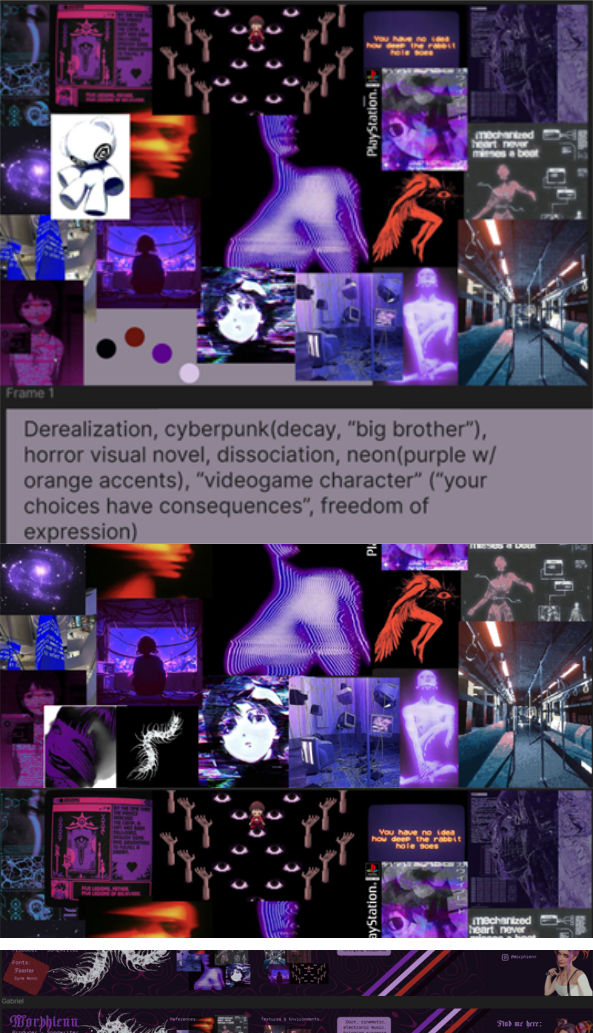
At the beginning of the semester for the branding project, there were two potential clients. In the beginning, it seemed that we would be working for a different client than the one we ended up with. In preparation for that, I created a moodboard, and later a stylescape for this potential client with the purpose of ensuring we were aligned with the client’s vision and visual style. In the end, we did not end up working further with this client, however, as this was my first time creating moodboards and stylescapes, knowledge learned here was valuable.

screenshot the moodboards for the potential client

Action Plan/Feedforward:

Going forward, I have a better grasp between the difference of a moodboard and a stylescape, which will make creating either one of them an easier task. I have learned that Pinterest, with the introduction of AI generated images, and poor moderation, has become quite poor to use as of late, and exploring other image gathering platforms, such as Unsplash, should make the process of sourcing images, even if it means using multiple platforms, a bit faster and easier. Practice with Photoshop will also help in making the process faster, and creating better designs, like working with different textures.

Next Learning Outcome

Description:

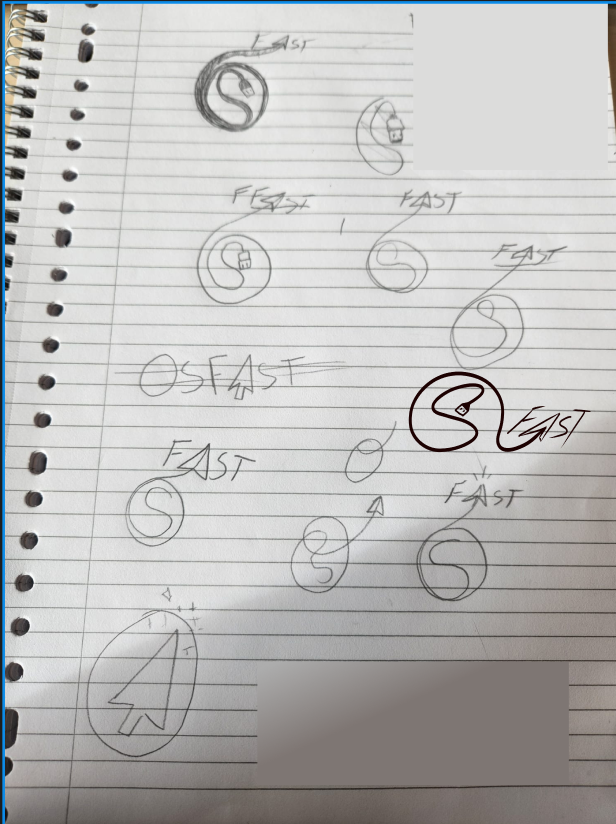
For our actual client for this project, OSFAST, one of the deliverables asked of us was for a logo for his brand. For this, each group member brainstormed their ideas, trying to come up with something that fit his brand, and matched his wishes of wanting a logo that seemed emblematic of his business. The image above is a sheet of my contributions to this part of the project, with the digitized one, being my latest iteration.

image of the logos tried

Action Plan/Feedforward:

Going forward, I will research more logos, and what makes them work. Specifically for similar products/services with competitor analysis. Remembering the Gestalt principles when narrowing down design choices would also help to create a more cohesive design, whereas without them, my designs resemble more of just a doodle. Getting more practice with software like photoshop and professional drawing software like Illustrator or refining my skills in Ibis Paint X could help with cleaning up my designs during later phases as well, which would give them more merit as well.

Next Learning Outcome

Description:

For the BELCO project, I used Figma to create a few early iterations of the homepage, and the assets for the footer and header. After our first sprint and presentation with the client, I also fully designed and iterated upon the institutions page. During the later parts of the design for Institutions page (as well as the rest of the design, concerning the project at large), we conducted a user test, where it was determined that there were many consistency errors, which led to more iterations for this to finally be rectified.

screenshot of my reflection journal

Action Plan/Feedforward:

Working with Figma more could help with creating quality designs, as well as help with my speed of iterating. I would like to utilize more textures in my designs when it makes sense to do to, and for that I have found an interesting source to research called ResourceBoy. I have learned that it is essential to user test more regularly.

Next Learning Outcome

Description:

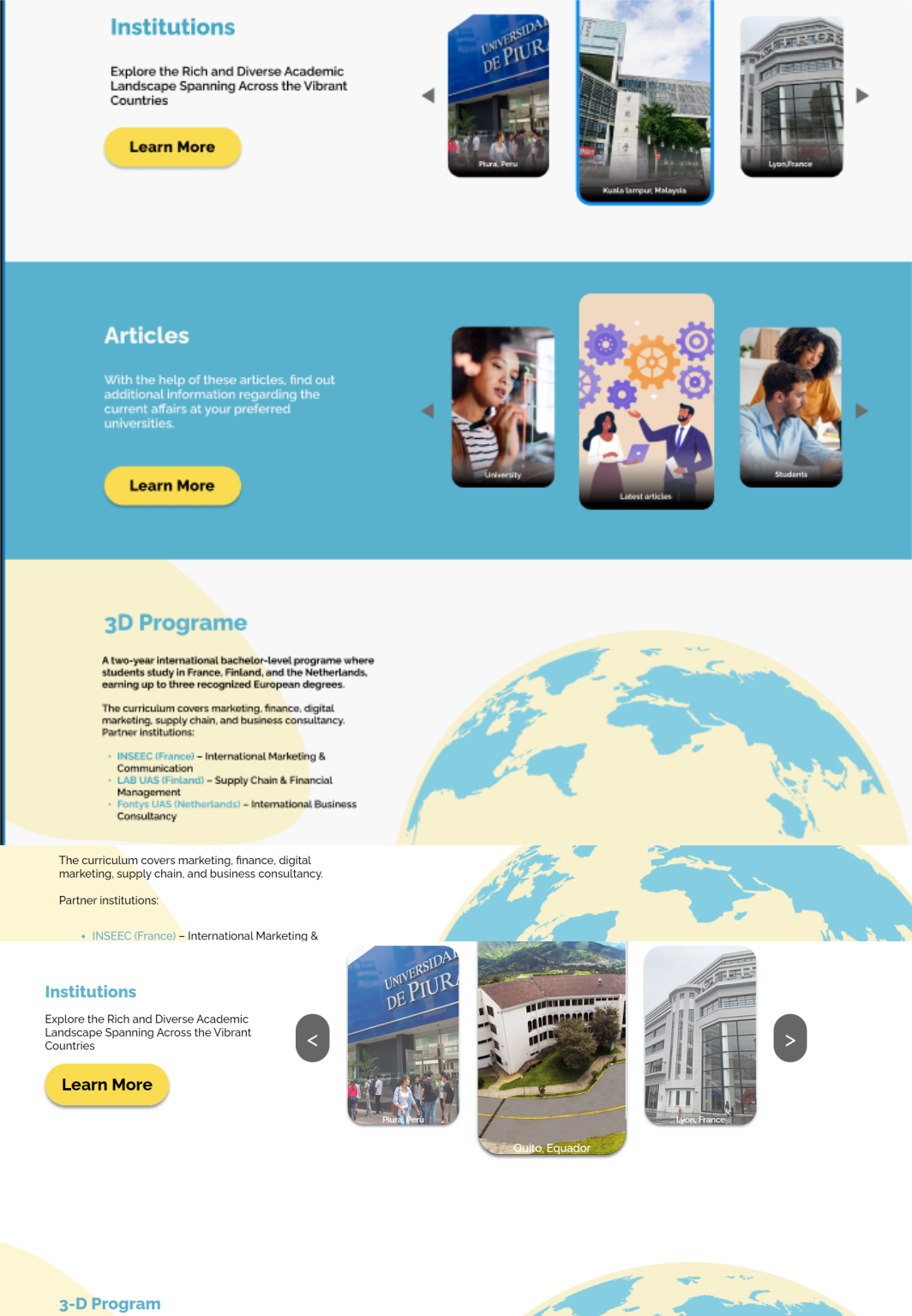
Once the Development section of the BELCO project began, there was a clarification that the stakeholders wanted to separate content that was meant for their partners and meant for students into different websites. My group pivoted to BELCO Education for students, so pieces of the website’s original design needed to be removed, and the rest needed editing to still look cohesive. After developing this updated design, a user test was conducted to test functionality, as well as test if these updates impacted the overall design in any way.

screenshots comparing a part of the original design, vs what was developed

Action Plan/Feedforward:

In future projects, I aim to better adapt to unexpected changes, when they inevitably come my way, and continue with regular user testing, especially when I am unsure about the effectiveness of the design.

Next Learning Outcome

Description:

During the DEV part of the BELCO project, our class had a workshop about structural hierarchy with HTML and CSS. In doing so, my group decided to look at each other’s pages, along with their code. In doing so, we noticed glaring inconsistencies between pages. From uneven margins, to noting that one group member was styling their code with pixels, whereas I and the other group member was using REM. This led to our group banding together and nitpicking the code, tweaking things until the pages finally had a consistent, cohesive design.

screenshots comparing a part of the original design, vs what was developed

Action Plan/Feedforward:

As stated above, proper use of a style guide would have helped to avoid this issue entirely. I now know the importance of using one for collaborative projects in the future. Also, it was wrong of me to simply assume that each of my group mates coded the same way as I do, using the same units as I do. Going forward I will be more proactive in checking in with my groupmates, asking to see what they have worked on, and comparing it with my own, to catch any errors like this before they get the chance to escalate.

Next Learning Outcome

Description:

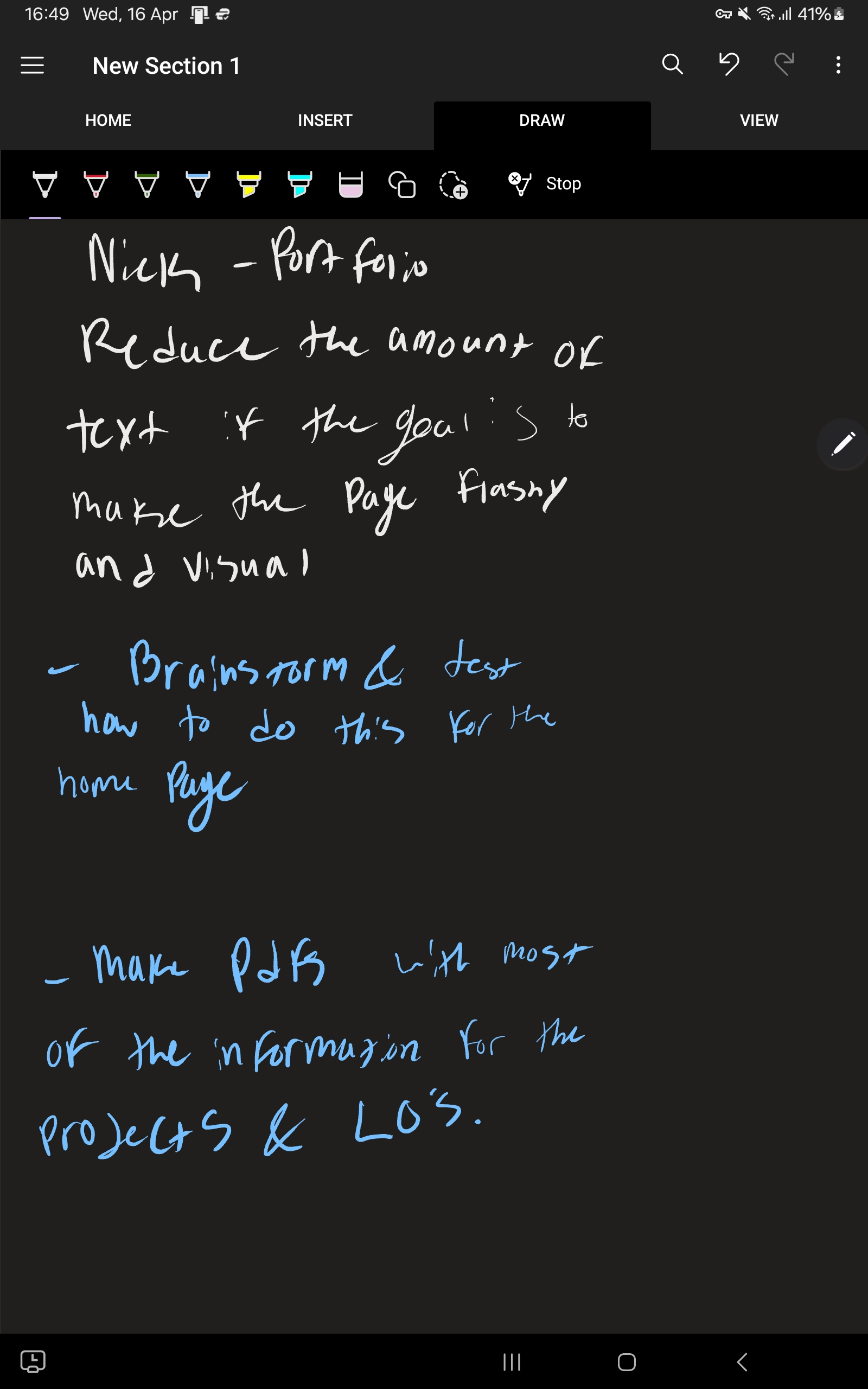
For the design of my portfolio, I have worked on multiple versions, and a few iterations, trying to home in the aesthetic I am shooting for, while keeping in mind the content I would need to fill it with. I have made it a goal to fill up my portfolio with as much art and personality as I can manage, to have it truly feel like my portfolio.

comparison of my portfolio before and after feedback

Action Plan/Feedforward:

Handling the scope of this portfolio, alongside finishing projects, is what is important here. Going forward, I will make MoSCoWs, and test earlier in my processes to ensure I get functionality down first and foremost, and quality design after.

Next Learning Outcome

Description:

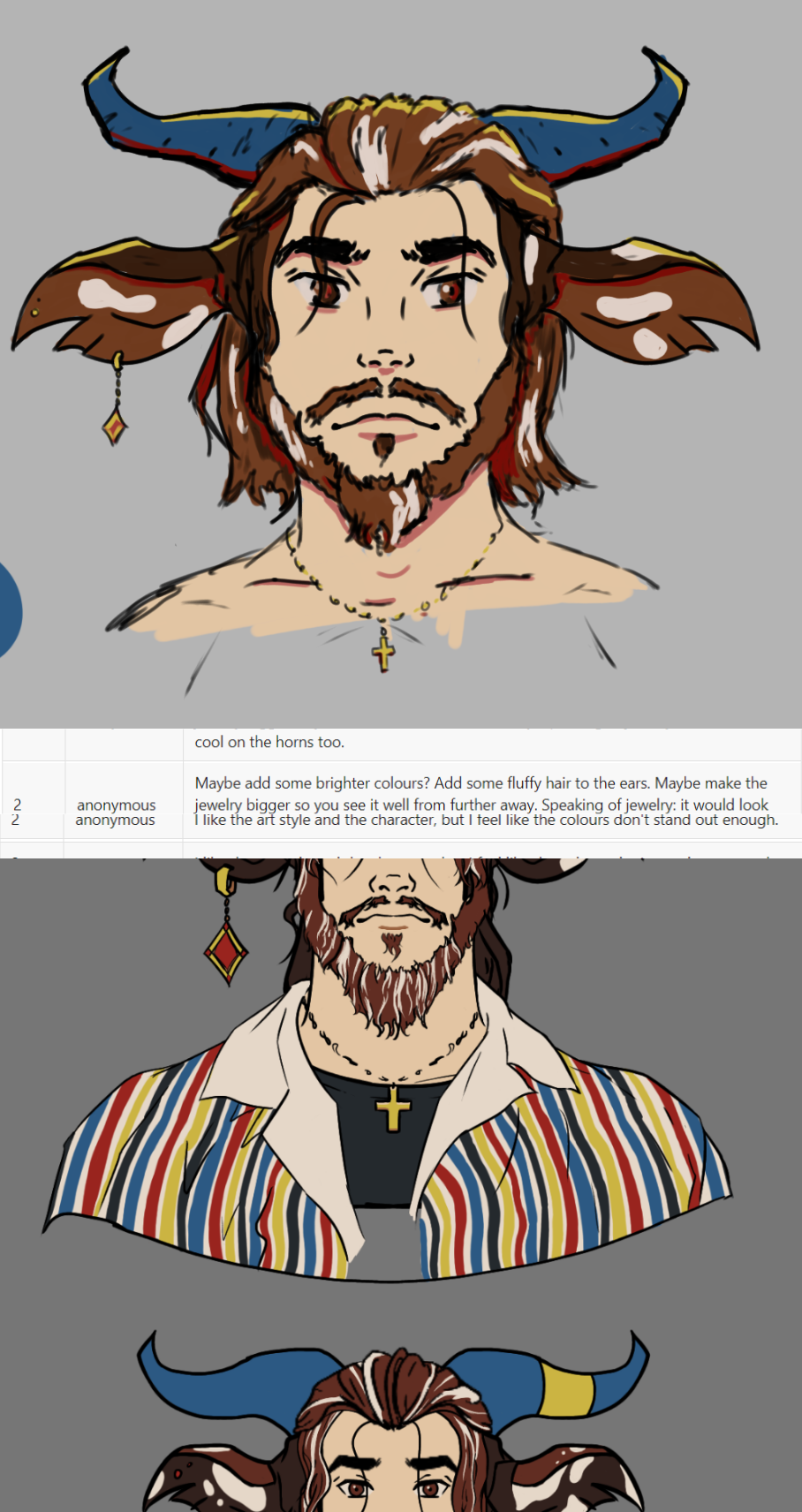
For my Project X, I took on the challenge of creating a V-tuber (Virtual Youtuber) model. This includes creating a character design in drawing software (for me, this was Ibis Paint X) and rigging it for face tracking utilizing the software Live2D. Before creating this model, I decided to create an early sketch of the design, that I created a survey to test its effectiveness. I took some of the feedback into the creation of the design, while some I discarded due to it either not being constructive, or unfortunately due to the need to manage the scope of this very short project.
Some of this helpful feedback was in reference to making the silhouette more interesting with some bigger jewellery, as well as making some of the colours pop out more, which led to me using more saturated colours.
An example of feedback that I discarded was someone suggested that I remove the cross necklace on my character and replace it with a satanic symbol... this is advice I don’t plan on taking.

Sketch vs final model

Action Plan/Feedforward:

I have found that I really love this software and want to keep iterating on this design. After this semester ends, I will continue adding physics to different parts of the model that I couldn’t get to in time, just to keep trying out the Live2D software while I still have the free trial licence. After this, I will also work on the art itself, studying character design to better myself as an artist, which are skills that I will take into my Media Creation semester.

Next Learning Outcome